
Download ThinkFree Office – free office suite alternative, PDF export, Windows, Mac, Android
Overview
ThinkFree Office positions itself as a budget‑friendly alternative to the heavyweight Microsoft Office suite. The package bundles three core applications—Write, Show, and Calc—that mirror the functionality of Word, PowerPoint, and Excel respectively. While the user interface closely resembles Microsoft’s familiar ribbon layout, ThinkFree adds a few distinct touches, most notably a built‑in PDF export option that works across all three modules. The suite is marketed toward small businesses, students, and casual users who need a reliable office tool without the high licensing fees associated with Microsoft products.
Although the name suggests a “free” offering, ThinkFree Office is a commercial product. However, the pricing model is considerably lower than the standard Office 365 subscription, making it an attractive option for those who need basic document creation, spreadsheet analysis, and slide presentations. The suite also supports mobile document management via Windows Mobile and Android devices, allowing users to view, edit, and sync files on the go at no extra cost. An English spell‑checker is included, but multilingual support is limited, which could be a drawback for international teams.
Performance-wise, ThinkFree Office suffers from a slower initial launch, especially on older hardware. Once loaded, the applications respond reasonably well, though power users may notice the absence of advanced features such as macro scripting in Calc or extensive template libraries found in OpenOffice or LibreOffice. Nevertheless, its straightforward design and PDF export capability make it a viable solution for everyday office tasks, especially when a user prefers a Microsoft‑like look and feel without the associated price tag.
Key Features & Benefits
- Write (Word Processor) – Full‑featured text editor with styles, tables, images, and a native PDF export button.
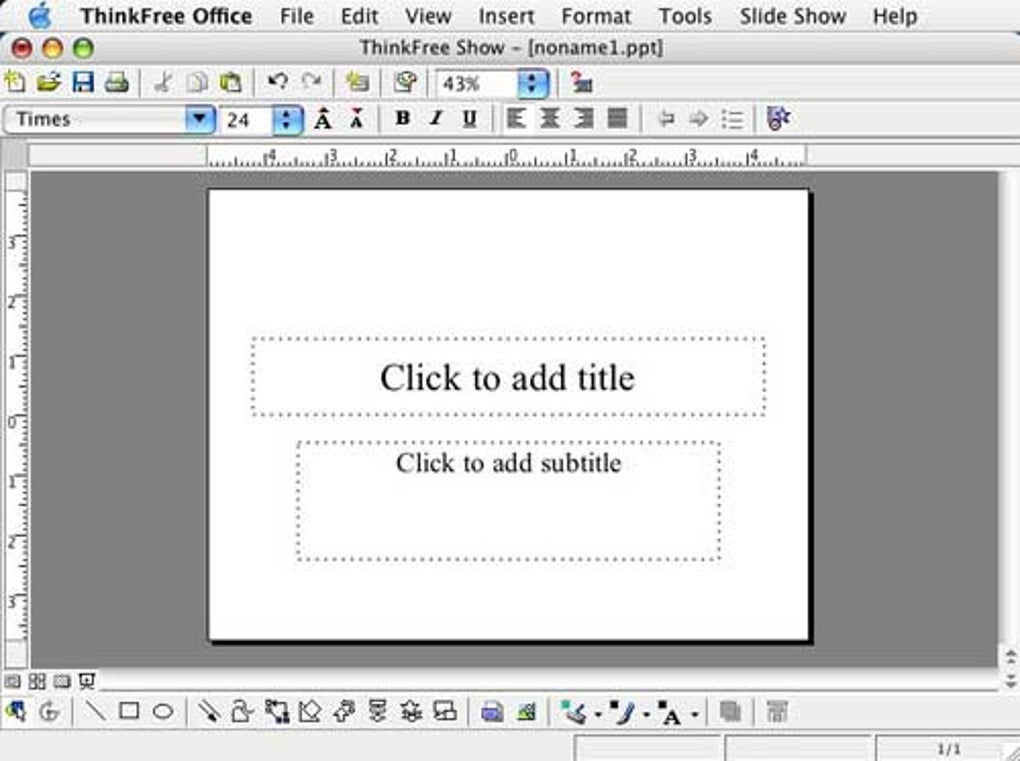
- Show (Presentation Tool) – Create slide decks with transitions, animations, and embed multimedia, plus one‑click PDF conversion.
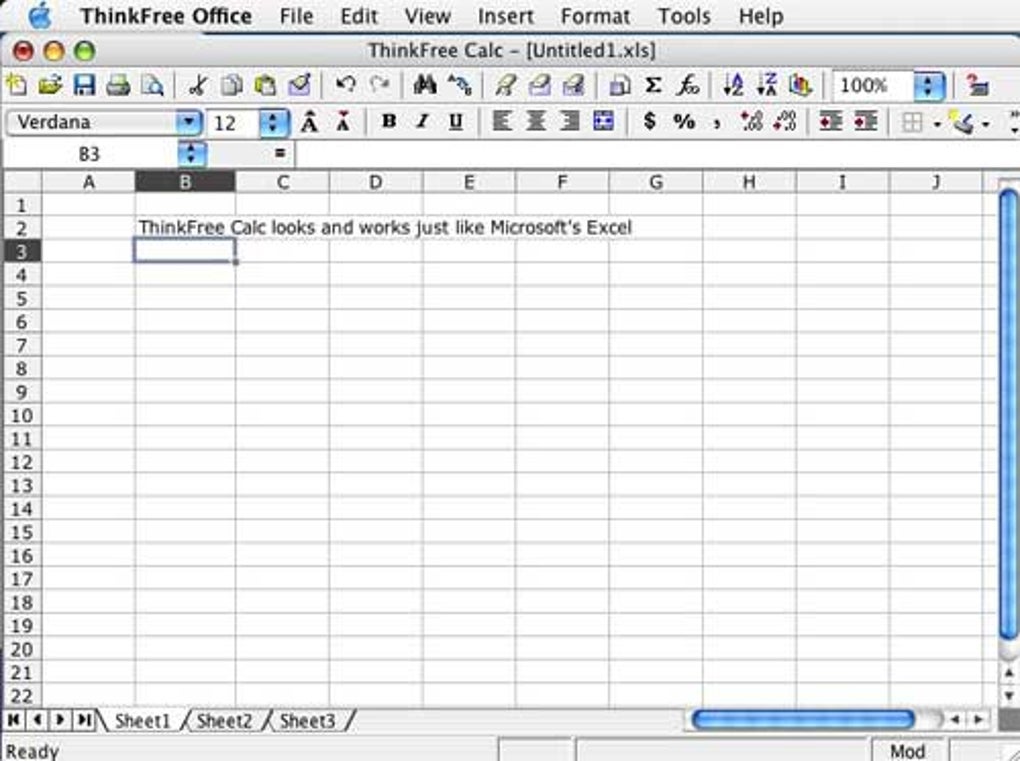
- Calc (Spreadsheet Engine) – Supports formulas, charts, and basic data analysis; compatible with .xls and .xlsx files.
- Microsoft‑like Interface – Ribbon layout mimics Office, reducing the learning curve for new users.
- Cross‑Platform Document Sync – Free mobile apps for Windows Mobile and Android enable on‑the‑fly editing and cloud sync.
- PDF Export for All Modules – Direct PDF creation without third‑party converters, streamlining document sharing.
- Lightweight Installation – Smaller footprint compared to full Office suites, suitable for low‑spec PCs.
- Cost‑Effective Licensing – One‑time purchase or low‑cost subscription options keep budgets in check.
The feature set is deliberately curated to cover the most common office scenarios. Write offers essential word‑processing capabilities, including spell checking (English only), auto‑formatting, and basic mail‑merge functionality. Show provides a decent selection of slide templates, although the library is not as extensive as Microsoft’s. Calc includes standard arithmetic operations, conditional formatting, and a set of chart types, though it lacks advanced pivot tables and macro support found in higher‑end solutions.
One of the standout benefits is the seamless PDF export. Users can generate a PDF from any document with a single click, preserving layout fidelity and eliminating the need for external tools. This is particularly useful for professionals who need to share read‑only versions of contracts, reports, or presentations. Additionally, the mobile synchronization feature ensures that files edited on a desktop remain accessible on smartphones or tablets, fostering a more flexible workflow for remote or traveling workers.
Installation, Usage & Compatibility
Installing ThinkFree Office is straightforward. After purchasing or registering for a trial, download the installer from the official website. The Windows installer is a single .exe file; macOS users receive a .dmg package. Both installers guide the user through a standard wizard: accept the license agreement, choose the installation directory, and select optional components (e.g., desktop shortcuts). The entire process typically takes under five minutes on a modern computer, though the initial launch may feel sluggish due to background component loading.
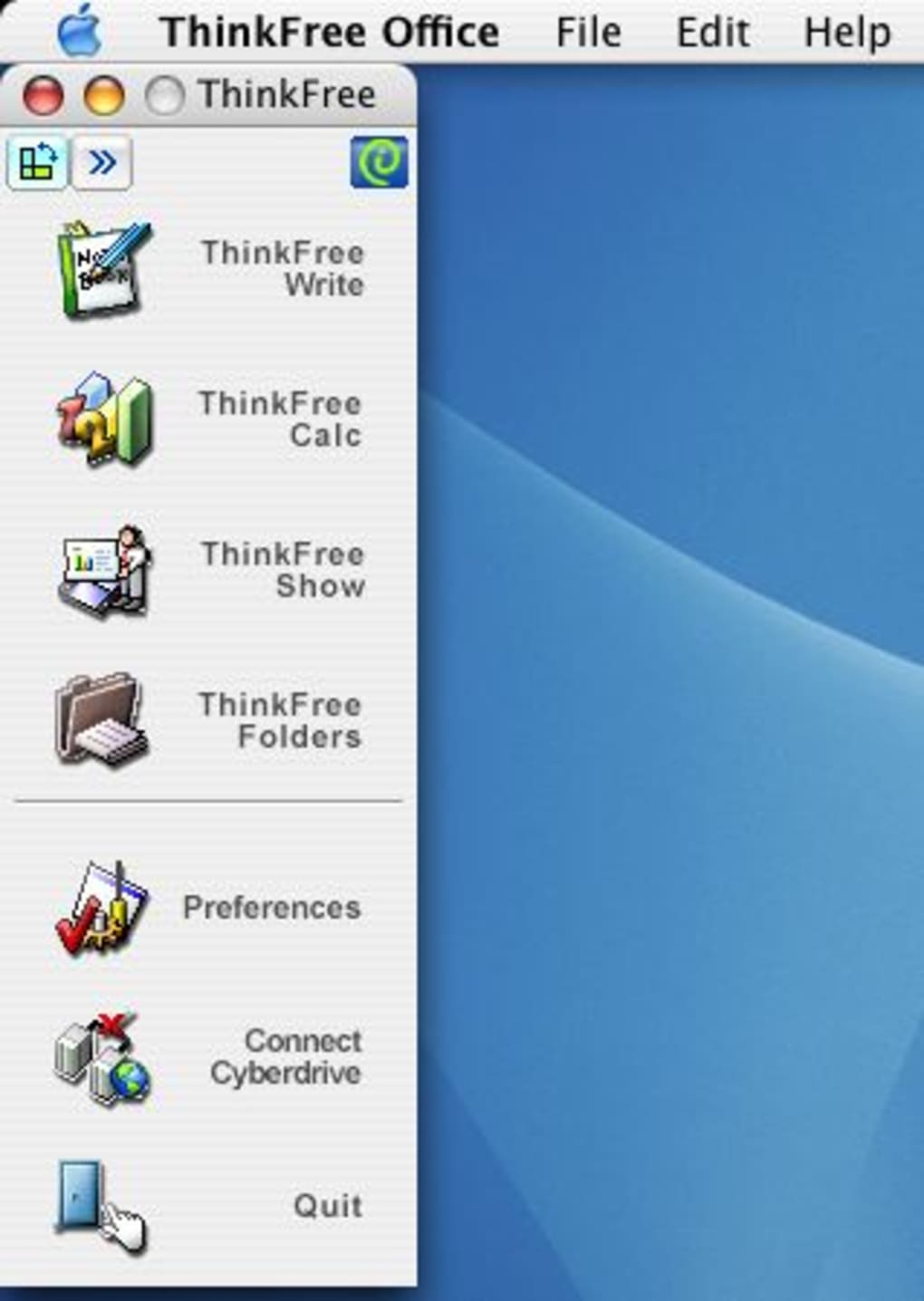
Once installed, the suite launches with a unified start menu offering shortcuts to Write, Show, and Calc. The ribbon interface is organized similarly to Microsoft Office, with tabs for Home, Insert, Layout, Review, and more. New users will find the layout intuitive, especially if they have prior Office experience. Each application supports the common file formats (.doc/.docx, .xls/.xlsx, .ppt/.pptx) as well as OpenDocument formats (.odt, .ods, .odp), facilitating smooth file exchange with colleagues using alternative suites.
Supported Operating Systems: Windows 7, 8, 10, and 11 (both 32‑bit and 64‑bit); macOS 10.13 (High Sierra) and later; Android 5.0+ for the mobile companion app. While there is no native Linux client, the Windows version runs under Wine with reasonable stability for basic tasks.
System requirements are modest: a 1 GHz processor, 2 GB RAM, and at least 300 MB of free disk space. Because the suite avoids heavy background services, it performs adequately on older laptops and netbooks. For optimal PDF export quality, a display resolution of 1024 × 768 or higher is recommended. Users should also ensure that the latest service packs for their operating system are installed to avoid compatibility warnings during the installation wizard.
Pros, Cons, FAQ & Final Verdict
Pros
- Low‑cost alternative to Microsoft Office with a familiar interface.
- Built‑in PDF export across all three applications.
- Mobile document management for Windows Mobile and Android at no extra charge.
- Supports both Microsoft and OpenDocument file formats.
- Lightweight installation and modest system requirements.
Cons
- Initial launch can be slow, especially on older hardware.
- Limited language support – only English spell‑checking is available.
- Toolbar customization is not possible.
- Advanced features such as macros, extensive template libraries, and pivot tables are missing.
- Despite the “ThinkFree” name, the software is not free.
Frequently Asked Questions
Is ThinkFree Office compatible with Microsoft Office file formats?
Yes. ThinkFree Office can open, edit, and save .doc, .docx, .xls, .xlsx, .ppt, and .pptx files, ensuring seamless collaboration with Microsoft Office users.
Can I use ThinkFree Office on a Mac?
A macOS version is available for macOS 10.13 (High Sierra) and later. The installer is provided as a .dmg file and offers the same core features as the Windows version.
Is there a free trial or a free tier?
ThinkFree Office offers a 30‑day free trial with full functionality. After the trial, you must purchase a license to continue using the software.
How does the PDF export work?
Each application (Write, Show, Calc) includes a “Export as PDF” button on the ribbon. Clicking it generates a PDF that preserves layout, fonts, and images, without needing third‑party conversion tools.
Can I sync documents between desktop and mobile devices?
Yes. ThinkFree provides companion apps for Android (and limited support for Windows Mobile) that connect to the same cloud storage used by the desktop suite, enabling real‑time syncing.
Conclusion & Call to Action
ThinkFree Office delivers a respectable blend of familiarity and affordability. While it doesn’t match the depth of Microsoft Office or the open‑source robustness of LibreOffice, its built‑in PDF export, mobile sync capability, and low entry price make it a solid contender for users who need core office functions without the overhead of a full‑scale suite. If you’re looking for a budget‑friendly tool that feels like Office, and you can tolerate a slightly slower startup and limited language support, ThinkFree Office is worth a try.
Ready to streamline your document workflow? Download ThinkFree Office now and enjoy a 30‑day free trial—no credit card required. Experience the convenience of PDF export, cross‑device editing, and a familiar interface, all at a fraction of the cost of traditional office software.
ThinkFree Office strikes a balance between cost and capability. The PDF export and mobile sync are standout features, while the slower launch and lack of toolbar customization keep it from being a perfect Office replacement. Overall, it earns a solid 4‑star rating for users seeking an economical, Microsoft‑like suite.







